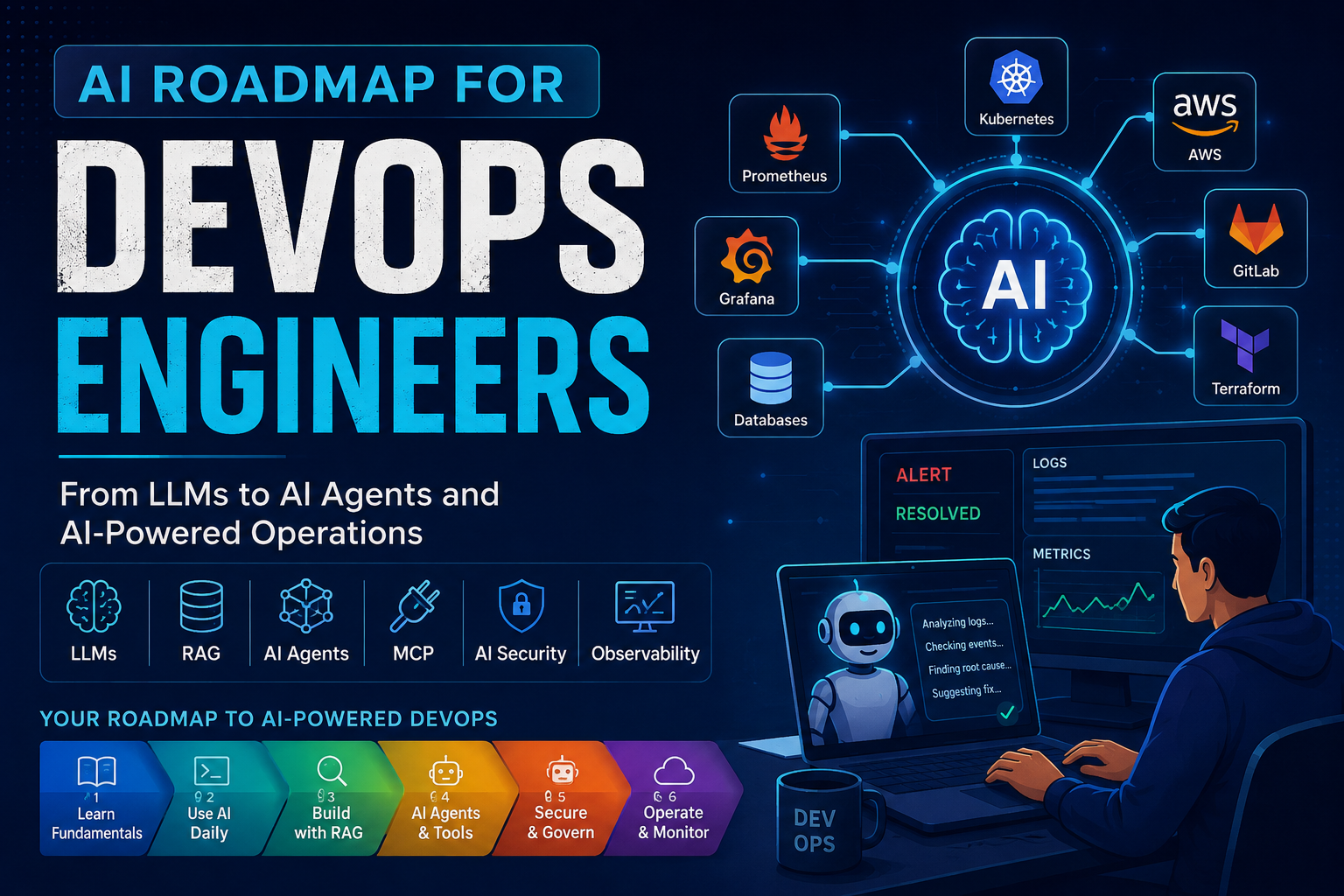
Artificial Intelligence is moving fast, and DevOps engineers are in a strong position to benefit from it.
We already work with complex systems such as Kubernetes, AWS, Terraform, GitLab CI/CD, Docker, Prometheus, Grafana, logs, automation, and production incidents. Modern AI can help us work with these systems more efficiently and, eventually, build smarter operational workflows.
But when starting with AI, it is easy to get confused by terms such as LLMs, embeddings, vector databases, RAG, AI Agents, MCP, inference, and fine-tuning.
The good news is that you do not need to learn everything at once.
This article provides a practical roadmap for DevOps engineers who want to understand modern AI and apply it to real-world infrastructure and operations.
📑 Table of Contents
- The AI Roadmap for DevOps Engineers
- Phase 1: Learn the AI Fundamentals
- Phase 2: Start Using AI in Your Daily DevOps Work
- AI-Assisted DevOps Troubleshooting Workflow
- AI APIs and Tool Calling
- Embeddings
- Vector Database
- RAG
- RAG vs Fine-Tuning
- AI Agents
- MCP
- LiteLLM
- AI Security for DevOps Engineers
- AI Observability
- AI Infrastructure
- What Should DevOps Engineers Learn?
- The Future of DevOps and AI
- Final Thoughts
The AI Roadmap for DevOps Engineers
If you are starting today, I recommend learning AI in this order:
Phase 1
AI Fundamentals
↓
LLMs + Tokens + Context Windows + Prompting + Inference

Phase 2
Use AI in Daily DevOps Work
↓
Logs + Kubernetes + Terraform + AWS + CI/CD

Phase 3
AI APIs and Tool Calling
↓
Connect AI with APIs and external tools

Phase 4
Embeddings + Vector Databases + RAG
↓
Build an Internal Knowledge Assistant

Phase 5
AI Agents
↓
AI Investigates Infrastructure Problems

Phase 6
MCP
↓
Standardized AI Tool Integrations

Phase 7
AI Security and Governance
↓
Permissions + Secrets + Approval + Audit

Phase 8
AI Infrastructure and Observability
↓
Model Serving + GPUs + Monitoring + Cost
You do not need to master one phase completely before exploring the next. However, following this sequence will make the learning journey much easier.
Phase 1: Learn the AI Fundamentals
The first step is understanding the basic technologies behind modern AI applications.
What Is an LLM?
LLM stands for Large Language Model.
An LLM is an AI model trained to understand and generate language.
Examples include GPT, Claude, Gemini, and Llama.
For example:
You:
"Why is my Kubernetes pod crashing?"

        ↓

LLM

        ↓

"Check pod logs, Kubernetes events,
resource limits, and recent deployment changes."
You can think of the LLM as the brain behind many modern AI applications.
What Are Tokens?
LLMs do not process text exactly as humans process words. Instead, they process text as smaller units called tokens.
For example, a sentence may be divided into multiple tokens before being processed by the model.
Tokens are important because AI providers often measure:
- Context size
- Usage
- Cost
- Input size
- Output size
When building AI applications, understanding token usage becomes important for both performance and cost management.
What Is a Context Window?
The context window is the amount of information an AI model can consider at one time.
For example, when troubleshooting a Kubernetes issue, you may want to provide:
- Pod logs
- Kubernetes events
- Deployment configuration
- Node information
- Recent Git commits
- Terraform changes
- Error messages
The model needs enough context to understand the problem.
Context Window = The AI model’s working memory for the current request.
A larger context window allows an AI application to work with more information in a single request.
What Is Model Inference?
Model inference means using a trained AI model to generate a response or prediction.
User Request
     ↓
AI Model
     ↓
Inference
     ↓
Generated Response
Every time you send a question to an LLM and receive an answer, the model performs inference.
For DevOps engineers who eventually want to operate AI infrastructure, inference becomes an important topic because it involves:
- GPU resources
- Memory requirements
- Latency
- Scaling
- Load balancing
- Model serving
Phase 2: Start Using AI in Your Daily DevOps Work
This is where I believe DevOps engineers can get immediate value.
You do not need to build an AI platform on day one. Start by using AI as an assistant for problems you already solve every day.
For example:
- Analyze Kubernetes logs
- Explain Terraform errors
- Debug GitLab CI/CD pipelines
- Review Kubernetes YAML
- Generate Bash scripts
- Explain AWS errors
- Summarize production incidents
- Create runbooks
- Analyze monitoring alerts
Traditionally, troubleshooting a production problem may look like this:
Pod crashed
     ↓
kubectl logs
     ↓
kubectl describe
     ↓
Check events
     ↓
Check deployment
     ↓
Check Terraform
     ↓
Check AWS
     ↓
Search the error
     ↓
Figure out the solution
This process often requires manually collecting information from multiple systems.
AI can help reduce this manual investigation work.
An AI-Assisted DevOps Troubleshooting Workflow
Imagine receiving a Kubernetes alert.
Instead of manually checking every system, an AI-assisted workflow could look like this:
Kubernetes Alert
       ↓
    AI Agent
       ↓

Collect:
├── Pod logs
├── Kubernetes events
├── Deployment information
├── Node information
├── Recent Git commits
├── Terraform changes
└── AWS information

       ↓

AI analyzes the information

       ↓

Possible Root Cause

       ↓

Suggested Fix

       ↓

Human Approval

       ↓

Automation / Remediation
This is where AI becomes more than just a chatbot.
It becomes part of an operational workflow.
However, I strongly believe the best approach for production systems is:
AI investigates → AI explains → Human approves → Automation executes
This allows us to benefit from AI while keeping engineers in control of critical production decisions.
Phase 3: Learn AI APIs and Tool Calling
AI APIs allow your applications to communicate with AI models.
You do not always need to download and run an LLM yourself.
Your Application
       ↓
     AI API
       ↓
      LLM
       ↓
    Response
For example, a DevOps application could send Kubernetes logs to an AI model and ask it to identify possible errors.
AI APIs can provide:
- Text generation
- Code generation
- Embeddings
- Document analysis
- Structured output
- Tool calling
What Is Tool Calling?
Tool calling, sometimes called function calling, allows an AI model to request information or actions from external tools.
For example:
User:
"Why is my pod failing?"

        ↓

LLM decides:

"I need the pod logs."

        ↓

Tool Call

kubectl logs my-pod

        ↓

Logs returned to the AI

        ↓

AI analyzes the logs

        ↓

Final Answer
For DevOps, tools could include:
- Kubernetes API
- AWS API
- GitLab API
- Prometheus API
- Grafana API
- Terraform APIs
Tool calling is an important bridge between a simple LLM and an AI Agent.
LLM
 ↓
Tool Calling
 ↓
External Tools
 ↓
Information Returned
 ↓
LLM Analysis
Phase 4: Learn Embeddings
Embeddings convert text into numerical representations called vectors.
For example:
"Kubernetes pod is crashing"

          ↓

Embedding Model

          ↓

[0.12, -0.43, 0.78, 0.21, ...]
Text with similar meanings will usually have vectors that are mathematically close together.
This allows applications to search based on meaning instead of only exact keywords.
This is especially useful when working with large amounts of technical documentation.
What Is a Vector Database?
A Vector Database stores embeddings and allows applications to search for similar information.
Popular options include:
- Pinecone
- Qdrant
- Weaviate
- Milvus
- PostgreSQL with pgvector
Imagine storing your organization’s:
Kubernetes Runbooks
AWS Documentation
Terraform Modules
Incident Reports
GitLab CI/CD Documentation
Deployment Guides
Troubleshooting Guides
Then someone asks:
“Why are my EKS pods unable to pull a container image?”
A vector search can find documents that discuss image pull failures, ECR permissions, Kubernetes secrets, or networking issues, even if the exact words are different.
What Is RAG?
RAG stands for Retrieval-Augmented Generation.
RAG retrieves relevant information before sending it to an LLM.
User Question
      ↓
Embedding
      ↓
Vector Database Search
      ↓
Relevant Documents
      ↓
LLM
      ↓
Final Answer
Why Is RAG Useful for DevOps?
LLMs do not automatically know your organization’s internal infrastructure, runbooks, or deployment processes.
With RAG, you can build an AI assistant that understands:
- Kubernetes documentation
- AWS architecture
- Terraform modules
- GitLab pipelines
- Deployment procedures
- Incident runbooks
- Troubleshooting documentation
This makes RAG an excellent first AI project for DevOps engineers.
A Simple DevOps RAG Project
Internal Documentation
        +
Kubernetes Runbooks
        +
Terraform Documentation
        +
Incident Reports
        +
Troubleshooting Guides

        ↓

Embedding Model

        ↓

Vector Database

        ↓

RAG

        ↓

LLM

        ↓

DevOps Assistant
RAG vs Fine-Tuning
| RAG | Fine-Tuning |
|---|---|
| Retrieves information when needed | Trains the model further |
| Good for changing information | Good for specialized behavior |
| Easy to update documents | Requires additional training to update |
| Common for internal knowledge systems | Useful for specific tasks or styles |
For internal DevOps documentation, RAG is usually the better starting point.
Phase 5: Learn AI Agents
An LLM mainly generates responses.
An AI Agent can take a goal, use tools, collect information, analyze results, and continue through multiple steps.
For example:
“Investigate why the production application is down.”
An AI Agent could potentially perform this workflow:
Check Kubernetes pods
        ↓
Check pod logs
        ↓
Check Kubernetes events
        ↓
Check deployment
        ↓
Check recent Git commits
        ↓
Check Terraform changes
        ↓
Check AWS resources
        ↓
Analyze information
        ↓
Identify possible root cause
        ↓
Suggest remediation
The important idea is that the AI is not just answering a single question. It is following a workflow and using tools to gather information.
Phase 6: What Is MCP?
MCP stands for Model Context Protocol.
MCP provides a standardized way for AI applications to connect with external tools and data sources.
A DevOps environment might look like this:
AI Agent
   |
   +--- Kubernetes
   |
   +--- AWS
   |
   +--- GitLab
   |
   +--- Terraform
   |
   +--- Prometheus
   |
   +--- Grafana
MCP is useful because AI applications often need to work with many different tools.
It is important to understand one thing clearly:
MCP standardizes tool integrations, but MCP itself does not automatically make an AI system secure.
You still need proper:
- Authentication
- Authorization
- IAM permissions
- Secrets management
- Network controls
- Audit logging
This is particularly important when AI systems interact with production infrastructure.
Where Does LiteLLM Fit?
If you work with multiple LLM providers, you may come across LiteLLM.
LiteLLM provides a common interface for working with different LLM providers.
                 Your Application
                       |
                    LiteLLM
                 /     |      \
                /      |       \
              GPT    Claude   Gemini
It can help with:
- Unified model APIs
- Model routing
- Fallback models
- Usage tracking
- Cost monitoring
- Rate limiting
- Centralized access management
For a DevOps engineer, LiteLLM can be thought of as a type of LLM gateway that helps manage access to multiple AI providers.
Phase 7: AI Security for DevOps Engineers
This is one of the most important areas for DevOps engineers.
An AI Agent connected to infrastructure could potentially access:
AWS Production
Kubernetes Production
GitLab
Terraform
Databases
Monitoring Systems
Secrets
Giving unrestricted access to an AI Agent would be dangerous.
A safer approach is to follow the principle of least privilege.
Good Security Practices
- Start with read-only access
- Use IAM roles and short-lived credentials
- Do not expose secrets in prompts
- Limit production permissions
- Require approval for destructive actions
- Maintain audit logs
- Validate AI-generated commands
- Protect against prompt injection
- Separate development and production access
For example:
AI Agent
    ↓
Read Production Logs
    ↓
Allowed ✅


AI Agent
    ↓
Delete Kubernetes Cluster
    ↓
Not Automatically Allowed ❌


AI Agent
    ↓
Suggest Remediation
    ↓
Human Approval
    ↓
Automation Executes
    ↓
Allowed Workflow ✅
AI should help engineers make better decisions, not introduce uncontrolled access to critical infrastructure.
Phase 8: AI Observability
Traditional applications require monitoring and observability.
We normally monitor:
- CPU
- Memory
- Latency
- Error rates
- Logs
AI applications need additional observability.
For example:
AI Application
      ↓

Monitor:

├── Request latency
├── Token usage
├── API errors
├── Model cost
├── Tool failures
├── Agent execution
├── Retry attempts
└── Response quality
For AI Agents, observability becomes even more important because a single user request may trigger multiple actions and tool calls.
A DevOps engineer should be able to answer questions such as:
- Which model is being used?
- How many tokens are consumed?
- How much does each request cost?
- Which tool calls failed?
- How long did the agent take?
- Why did the workflow fail?
This is one area where existing DevOps and observability skills are extremely valuable.
AI Infrastructure: A New Opportunity for DevOps Engineers
AI applications also require infrastructure.
Depending on the architecture, this may include:
- GPU infrastructure
- Model serving
- Kubernetes
- Autoscaling
- Storage
- Networking
- API gateways
- Monitoring
- Security
- Cost optimization
A simple architecture could look like this:
Users
  ↓
AI Application
  ↓
API Gateway
  ↓
LLM / Inference Server
  ↓
GPU Infrastructure

Supporting Services:

├── Vector Database
├── Monitoring
├── Logging
├── Secrets Management
└── Authentication
This is where DevOps, Platform Engineering, Cloud Engineering, and AI start coming together.
What Should DevOps Engineers Learn?
| Technology | Why It Matters |
|---|---|
| LLMs | Understand the foundation of modern AI applications |
| Tokens and Context Windows | Understand model limits and cost |
| Prompting | Communicate effectively with AI models |
| AI APIs | Build AI-powered applications |
| Tool Calling | Allow AI to interact with external systems |
| Embeddings | Search information based on meaning |
| Vector Databases | Store and search embeddings |
| RAG | Connect AI with internal documentation |
| AI Agents | Build AI-powered workflows |
| MCP | Standardize AI tool integrations |
| AI Security | Protect infrastructure and data |
| AI Observability | Monitor AI applications and agent workflows |
| AI Infrastructure | Deploy and operate AI workloads |
The Future of DevOps and AI
I do not believe AI will simply replace DevOps engineers.
The bigger change will be in how DevOps engineers work.
Today, troubleshooting may look like this:
Alert
 ↓
Engineer investigates
 ↓
Search logs
 ↓
Check dashboards
 ↓
Check Git changes
 ↓
Check AWS
 ↓
Find root cause
 ↓
Fix the problem
In the future, more workflows may look like this:
Alert
 ↓
AI Agent investigates
 ↓
Collects relevant information
 ↓
Analyzes logs, metrics and deployments
 ↓
Identifies a possible root cause
 ↓
Explains the issue
 ↓
Suggests remediation
 ↓
Human approves
 ↓
Automation executes
The engineer does not disappear.
Instead, engineers can spend more time focusing on:
- Architecture
- Reliability
- Security
- Automation
- Platform Engineering
- Cost optimization
- Building better systems
Final Thoughts
Modern AI is much bigger than asking ChatGPT to generate a Bash command or Kubernetes YAML.
The real opportunity is understanding how the different technologies work together.
             LLM
              ↓
          AI APIs
              ↓
        Tool Calling
              ↓
       ┌──────┴──────┐
       ↓             ↓
      RAG         AI Agents
       ↓             ↓
Vector Database     Tools
       ↓             ↓
   Internal Data    MCP
       └──────┬──────┘
              ↓
       AI Security
              ↓
     AI Observability
              ↓
       AI Infrastructure
              ↓
      AI-Powered DevOps
You do not need to learn everything at once.
A practical journey is:
LLMs → Daily AI Usage → AI APIs → Tool Calling → Embeddings → Vector Databases → RAG → AI Agents → MCP → Security → Observability → AI Infrastructure
Start small.
Use AI to analyze logs. Then build a small RAG assistant for your runbooks. After that, experiment with AI Agents that can investigate Kubernetes or cloud infrastructure.
The most important thing is to connect AI learning with real DevOps problems.
That is the journey from simply using AI tools to actually engineering AI-powered DevOps systems.
For DevOps engineers, this is one of the most exciting areas to learn over the coming years.
What’s Next?
If you are a DevOps engineer starting your AI journey, do not try to learn every framework and tool immediately.
Start with the fundamentals, experiment with AI in your daily work, and then gradually move toward RAG, AI Agents, MCP, and AI infrastructure.
The best way to learn AI for DevOps is to build something practical.
A simple Kubernetes troubleshooting assistant or an internal DevOps documentation chatbot can teach you far more than only reading about AI concepts.
Have you started using AI in your DevOps workflow?
How are you using AI for Kubernetes, AWS, Terraform, CI/CD, monitoring, or incident management?